// CASE STUDY · JUSK
HR TECH · ONBOARDING
JUSK
Employee onboarding.
One journey.
Forms, training, assessments and mandatory tasks — until access opens.
JUSK is an HR technology platform that centralizes employee onboarding and lets organizations manage forms, training, assessments and mandatory tasks through one digital system. Every employee gets a structured onboarding journey, and managers get full control over content, progress and requirements — before full system access is granted.
We built the product end to end — product strategy, UX/UI, web and backend development, an admin platform, workflow automation and AI-assisted tools.
- journeyPERSONALA personal path per employee
- accessGATEDOpens after mandatory tasks
- contentAIAI-assisted training & tests
- reminders3Push · WhatsApp · Email
// 01 · What we built
Two surfaces. One engine.
Onboarding is usually scattered across emails, files, external forms and manual reminders. We built a platform that separates the employee experience from the management environment — connected by one workflow engine.
- 01Web · Mobile First · RTL
Employee experience
A focused onboarding flow: one task per stage, a clear progress indicator, one call to action — without exposing the full app too early.
- 02Admin · HR · Ops
Management platform
Managers build journeys, forms, training and assessments — track progress, send reminders and grant access. No code needed.
- 03Workflows · AI Content
Automation & AI
Automatic access unlocking, reminders across three channels, and AI-assisted training and assessment creation — from existing company knowledge.
// 02 · Project overview
The employee knows exactly
what's left.
Employees need to sign documents, complete training, watch content, pass assessments and acknowledge policies. JUSK turns all of it into one digital journey that helps every employee understand:
- 01
Which tasks they need to complete.
- 02
What's done and what still requires attention.
- 03
How far they have progressed.
- 04
Which documents must be reviewed or signed.
- 05
Which training sessions and assessments are required.
- 06
When full system access becomes available.
And in parallel — managers get an up-to-date overview of every employee and every onboarding stage.
// 03 · The challenge
A binding process.
That doesn't feel bureaucratic.
Onboarding processes tend to be distributed across systems and channels. The main challenge was to create a platform that could:
- 01
Centralize all onboarding tasks in one place.
- 02
Present employees with a simple, focused journey.
- 03
Ensure mandatory steps are completed before access is granted.
- 04
Let managers build processes without development work.
- 05
Support different types of forms, training and assessments.
- 06
Send reminders to employees with incomplete tasks.
- 07
Document signatures and training completion.
- 08
Deliver a mobile-first employee experience.
- 09
Stay simple even when a process includes many steps.
Controlled and compliant on one side — pleasant and lightweight on the other.
// 04 · The solution
A personal journey.
Eight steps.
We built an onboarding platform that separates the employee experience from the management environment. Each employee receives a personalized journey with every required action — and each stage updates as it's completed.
- 01
Reviewing a welcome message
- 02
Providing personal information
- 03
Reading and signing documents
- 04
Completing training content
- 05
Passing assessments and questionnaires
- 06
Acknowledging company policies
- 07
Completing mandatory tasks
- 08
Receiving full system access
// 05 · Employee experience
One task.
At any given moment.
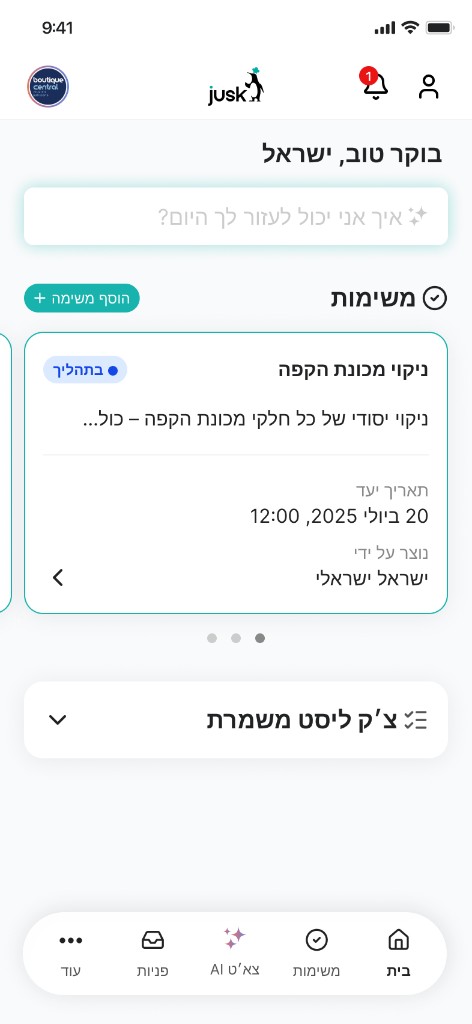
During onboarding, employees don't see the complete application — only the tasks currently relevant to them. The main navigation stays hidden during the blocking flow to keep them focused.
- 01
A clean header with the organization's logo.
- 02
A clear progress indicator.
- 03
One primary task at each stage.
- 04
A focused call to action.
- 05
Completion and success states.
- 06
Clear explanations when tasks remain.
- 07
Full Hebrew and RTL support.
- 08
A mobile-first interface.
// 06 · Progressive access
Access opens
when you finish. Not before.
The platform can restrict full access until every mandatory action is completed. Once they're all done — access opens automatically. Managers can also grant access manually in exceptional cases.
// 07 · Forms & digital signatures
A forms library.
Instead of emails and files.
Managers upload documents, connect them to onboarding processes and decide which employees must read, complete or sign them. The organization gets a documented, structured process:
- 01Centralized form management
- 02Connecting forms to processes or groups
- 03Defining signatures as mandatory
- 04Monitoring signature status
- 05Recording completion dates
- 06Downloading signed documents
- 07Sending reminders to employees
// 08 · Employee training
A training library.
For new hires and veterans.
Managers assign training by employee, department, role or onboarding process. Each training module can include:
- Text
- Images
- Documents
- Videos
- Multiple chapters
- Knowledge questions
- Final assessments
- Minimum passing scores
// 09 · AI-assisted training
From a raw topic —
to a full training module.
To reduce content creation time, JUSK includes AI-assisted tools. A manager provides a topic, document or initial information — and the system helps generate:
- 01A structured training outline
- 02Chapters and sections
- 03Explanations and learning content
- 04Knowledge questions
- 05Short assessments
- 06Answer options
- 07Content summaries
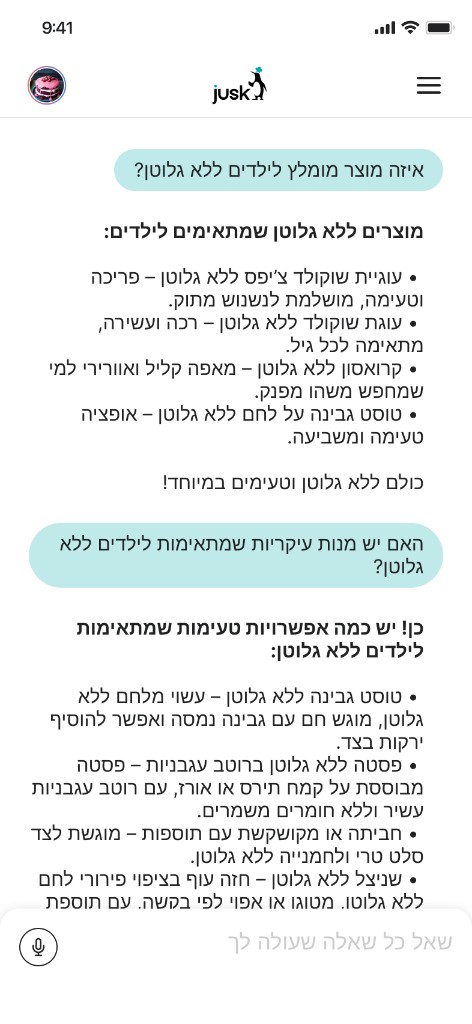
Employees also get an AI chat that draws on company knowledge — procedures, operations and products — and answers questions in real time.
// 10 · Assessments & questionnaires
Not just viewed.
Actually understood.
An assessment can be part of a training module or an independent onboarding step. The assessment builder lets managers:
- 01
Create questions
- 02
Add multiple answer options
- 03
Define the correct answer
- 04
Set a passing score
- 05
Provide employee feedback
- 06
Track attempts
- 07
Allow or restrict retries
- 08
Block progress until the test is passed
// 11 · Management platform
Process changed?
No developer needed.
Alongside the employee experience, we developed a complete management environment for managers and HR teams:
- 01Create and edit onboarding journeys
- 02Manage employees
- 03Manage forms and documents
- 04Create training and assessments
- 05Preview the employee experience
- 06Monitor employee progress
- 07Identify blocked employees
- 08Send reminders
- 09Manually grant access
- 10View and download signed documents
// 12 · Reminders & automation
A focused reminder.
Straight to the task.
When an employee doesn't complete an action on time, the manager sees exactly which task is open and sends a focused message that takes the employee straight to it — directly from the admin platform.
- Push Notification
// 13 · Journey preview
Test the journey.
Before employees see it.
Before activating a journey, managers preview it exactly as employees will experience it — reducing errors and validating everything up front:
- The order of the steps
- The content presented
- The connected forms
- Training and assessment stages
- The progress experience
- The completion state
- The access-grant point
// 14 · UX & visual design
Four design principles.
- 01
Simplicity
At each stage, employees see one clear primary action.
- 02
Progress
A visible indicator shows how much is done — and what remains.
- 03
Compliance
Mandatory tasks are clearly identified, and skipping essential stages is prevented.
- 04
Flexibility
Managers adapt each journey to the organization, role and employment type.
// 15 · Mobile first
Onboarding starts
before day one.
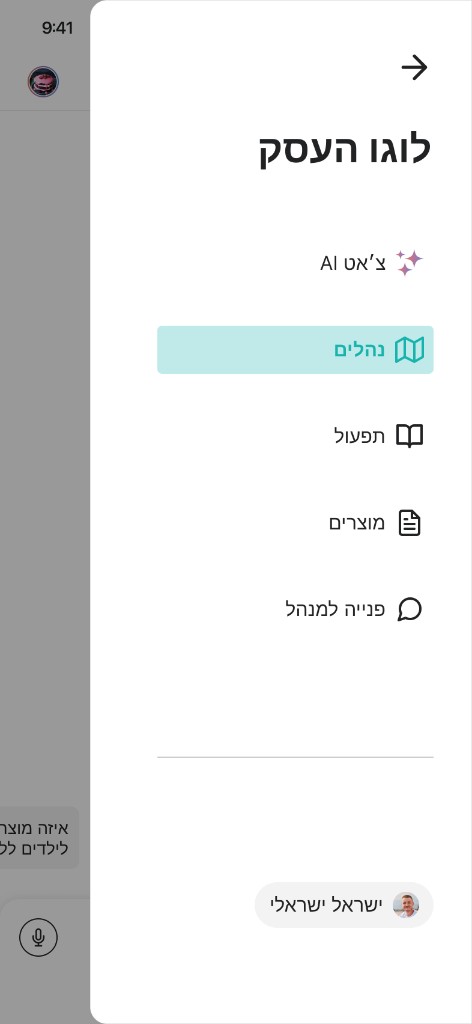
Onboarding often begins before an employee's first day or outside the office — so the experience was designed mobile-first, letting users complete the main actions from their phones.
- 01Large touch targets
- 02Easy-to-complete forms
- 03Simple digital signing
- 04Clear content presentation
- 05Smooth step-by-step navigation
- 06Fast loading
- 07A clean, focused interface
- 08Full Hebrew and RTL support
// 16 · The outcome
From a fragmented process —
to a measurable journey.
JUSK transforms a fragmented, manually managed onboarding process into one measurable digital journey. Employees know exactly what to complete, and managers control the content, requirements and progress of every user — with structured documentation and fewer manual reminders.
The modular infrastructure can expand to additional processes: recurring training, policy refreshes, certifications, supplier onboarding and employee offboarding.
// 17 · Technology & capabilities
What's under the hood
Every layer was built for organizational workflows: flexible, documented, and ready to grow.
- WEBResponsive web platform
- MOBILEMobile-first employee experience
- ADMINManagement dashboard
- FLOWSDynamic onboarding journeys
- FORMSForms & document management
- SIGNDigital signatures
- LEARNTraining library
- QUIZAssessment & questionnaire builder
- AIAI-assisted content creation
- ACCESSAccess & permission management
- TRACKEmployee progress tracking
- NOTIFYPush, WhatsApp & email reminders
- I18NHebrew & RTL support
- MODULARModular workflow infrastructure
// 18 · Building an HR Tech product?
From a complex process
to a product that runs itself.
We help companies and startups transform complex organizational processes into simple, intelligent and scalable digital products. Let's build your next product.
One journey. Full onboarding. All the way to access.